
Released 10/24/2025
Upgrade Notes
Access the new Lightning S-Drive Configuration:
-
Go to Setup->App Manager
-
Find S-Drive in the list. On the one that says Classic(Managed), click Edit
-
In the “choose tabs” section, move S-Drive Configuration from the Available side to the Selected side
-
Save
-
Go to App Launcher and launch S-Drive
-
You should see the new configuration tab and the old one, now labeled Legacy

See Upgrade Paths when upgrading from other releases.
Latest Compatible Desktop Experience
2.0.13
New UI for configuration and settings
New Features
S-Drive Configuration Lightning UI
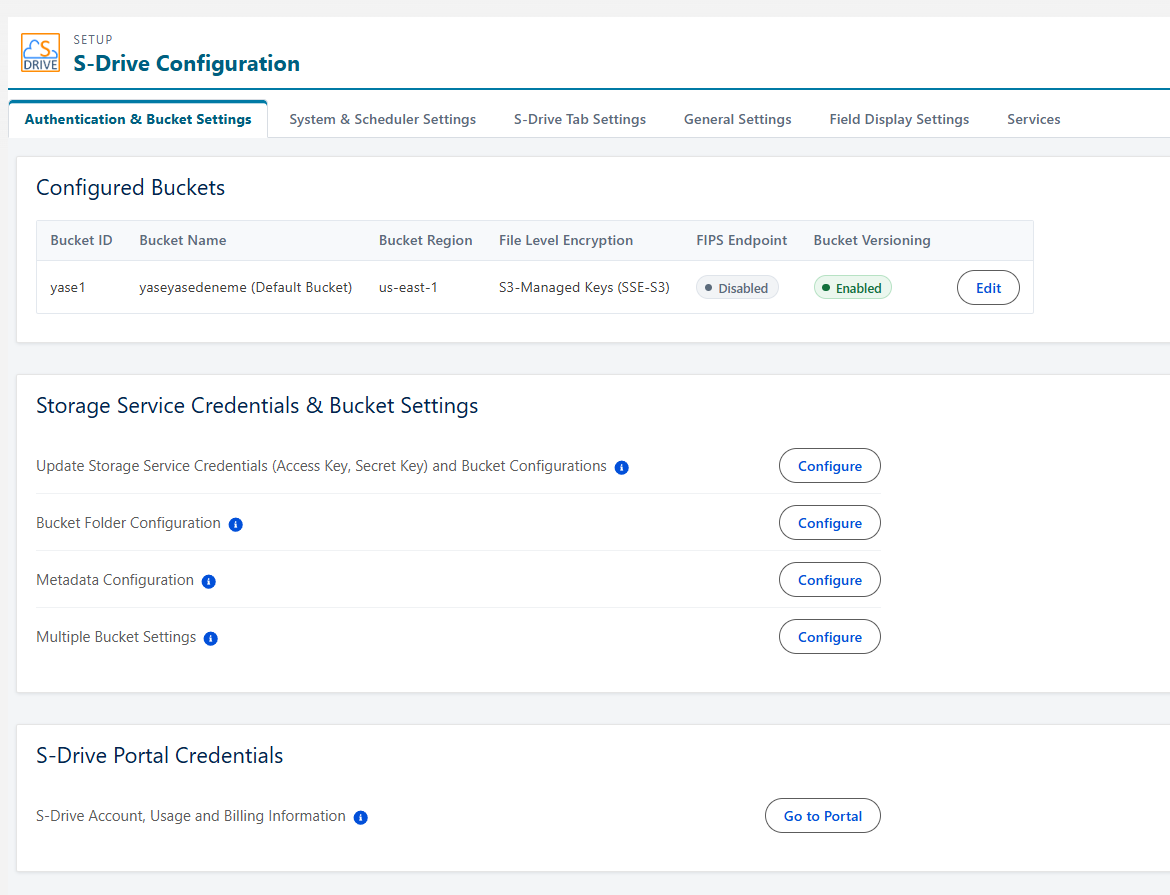
S-Drive Configuration pages are now using Lightning. The old pages remain in this release to give time to get acclimated to the new Lightning pages. You’ll see S-Drive Configuration (Legacy) and S-Drive Configuration.
The new pages load and save faster. They are largely organized the same way, but there are a few changes:
-
The Micro Services tab is now just called Services
-
The Customization tab is now called Field Display Settings
-
System-wide settings, such as Duplicate Filename Preferences and the settings to choose time and frequency for the storage job are now in their own tab called System and Scheduler Setting
We encourage you to use the new S-Drive Configuration page, as we will retire the old one in the near future.
Enhancements
S-Drive Disconnect handing
We have improved our storage job scheduling, disconnect handling, and notifications to reduce the disconnect issues..
-
Added notifications to let you know before a disconnect happens in most cases
-
Added more time after a problem is encountered before a disconnect is initiated to give you time to remedy the situation. This will also avoid the Daylight Saving Time disconnect issue some customers experience each spring.
-
Enhanced the storage calculation job scheduling logic to prevent disconnects from the job being locked
Bug Fixes
-
Fix compatible S-Drive Desktop Experience versions
-
Fix issues with mass Previews
-
Fix Delete After Sync
-
Fix upload field picklist values showing API name instead of label
-
Fix duplicate setting configuration not checked during cut/paste
-
Fix Retention Policy email notifications not sending correctly
-
Fix component errors that occur when debug mode is on
-
Fix Content Authoring user assignment issues and permission issue
-
Fix Customization/File Field settings display
-
Fix batch file sync
-
Fix S-Drive Download Jobs
-
Fix capitalized file extension fails p&t
-
Fix email issue on files with commas in the name
Patch Releases
Deprecated
None
Retired
None