SDrive Configuration → Micro Services → DoucFetch Configuration
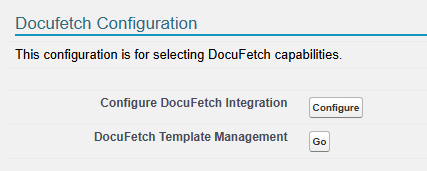
DocuFetch can be integrated with other applications, such as Formstack, DocuSign and AdobeSign. Clicking Configure allows you to configure which features of DocuFetch you want to use.
Check the box next to Enable DocuFetch. Then configure the following options:
-
New Upload Used to ask the requestee to upload a document. It is Enabled by default but can be disabled.
-
Review Document Used to send a document to the requestee for review. Requires Formstack.
-
Complete Form Used to send a form that the requestee will fill in. Requires Formstack.
-
Complete E-Signature Used to send a document for the requestee to sign. Can be used with Formstack, AdobeSign, or DocuSign.
There are additional packages needed for each 3rd party app that can be used with DocuFetch.
-
Each one requires a 2nd generation package (2GP) provided by Cyangate/S-Drive. Please open a ticket with S-Drive Support to get the necessary package.
-
AdobeSign requires Adobe Acrobat Sign eSignatures for Salesforce from AppExchange
-
Formstack requires one or more Formstack packages. See DocuFetch for details.
-
DocuSign requires https://appexchange.salesforce.com/appxListingDetail?listingId=a0N30000001taX4EAI&tab=d
DocuFetch Template Management
Click Go to go to DocuFetch Template Management tab to create new templates. See DocuFetch User Guide | DocuFetch Template Management for more information