File Activities keep a record of what people do with S-Drive files: who downloaded, opened, shared or emailed a file, and when. You can see the history on the file itself or report on it with Salesforce reports.
When to use it
-
Audit who has accessed sensitive files.
-
Check whether a client downloaded a file you sent with a Public Share or email link.
-
Report on upload and download activity across records.
How it works
Each time someone takes a tracked action on a file, S-Drive creates a File Activity record. The record includes the user, the time, the activity type, and any extra details.
You choose which activities to track for each S-Drive file object. For the full list of activities and when each is recorded, see File Activities settings.
Using File Activities
-
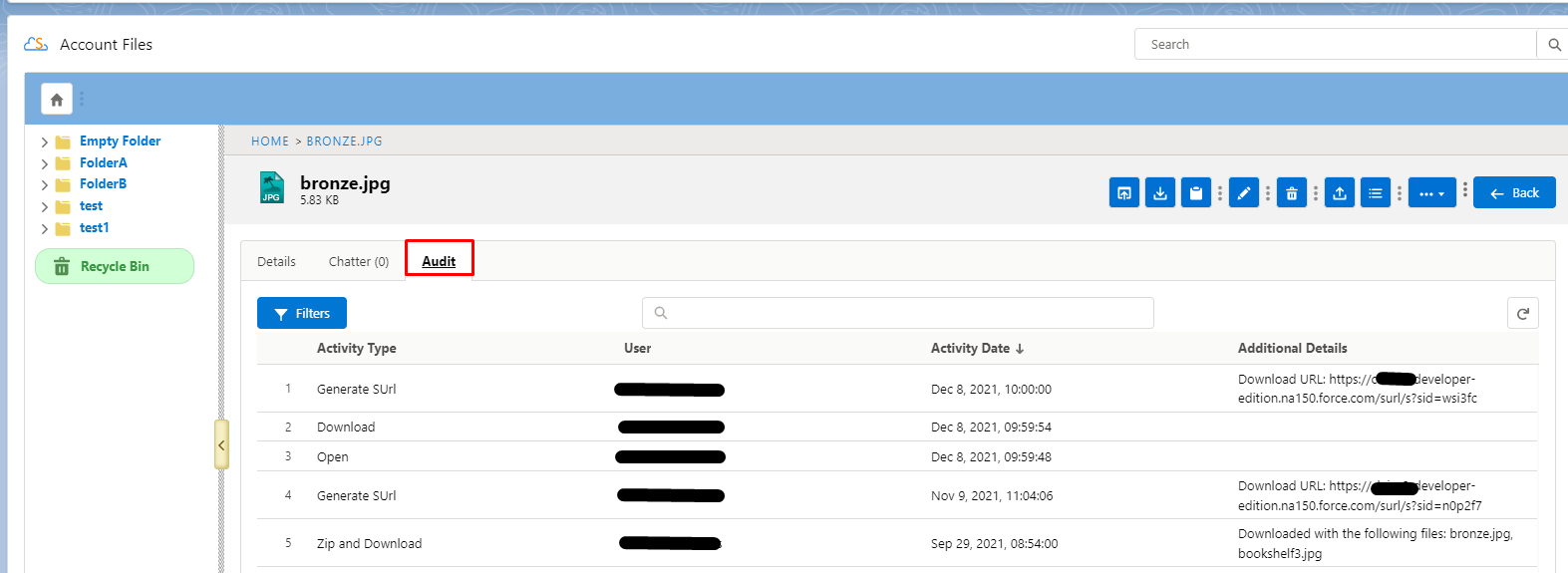
In the S-Drive component, open a file's details.
-
Go to the Audit tab to see the file's activity history.
S-Drive Reports
S-Drive comes with report types for files on objects. To find them, go to App Launcher › Reports › New Report and search for file.
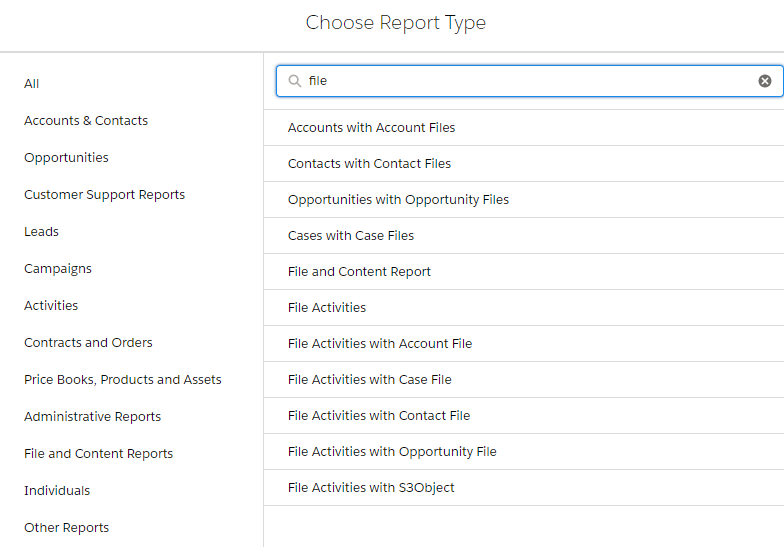
The File Activities report types only return data when File Activities are set up.
Set it up
Before you start
-
Users need CRUD permission on the File Activity object to see or create file activities.
-
For custom objects, the S-Drive file object needs a lookup relationship on the File Activity object.
Setup checklist
-
Give users CRUD permission on the File Activity object through their profile or a permission set.
-
Custom objects only: Create a lookup relationship from the File Activity object to your S-Drive file object. In Setup, go to Object Manager › File Activity › Fields & Relationships › New, choose Lookup Relationship, and select your S-Drive file object in Related To.
-
Choose the activities to record for each file object in Services › File Activities.
Limitations and notes
-
File Activity records use data storage in your Salesforce org. Track only the activities you need.