
S-Drive’s E-Signature feature allows you to send a document directly to DocuSign* and have the signed document returned directly to S-Drive. See E-Signature Integration to configure E-Signature integration.
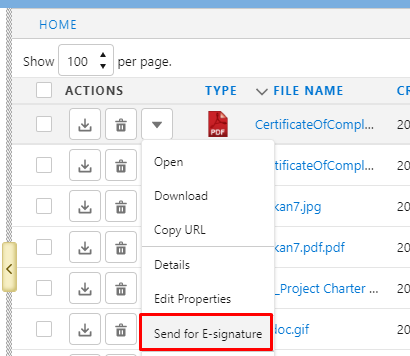
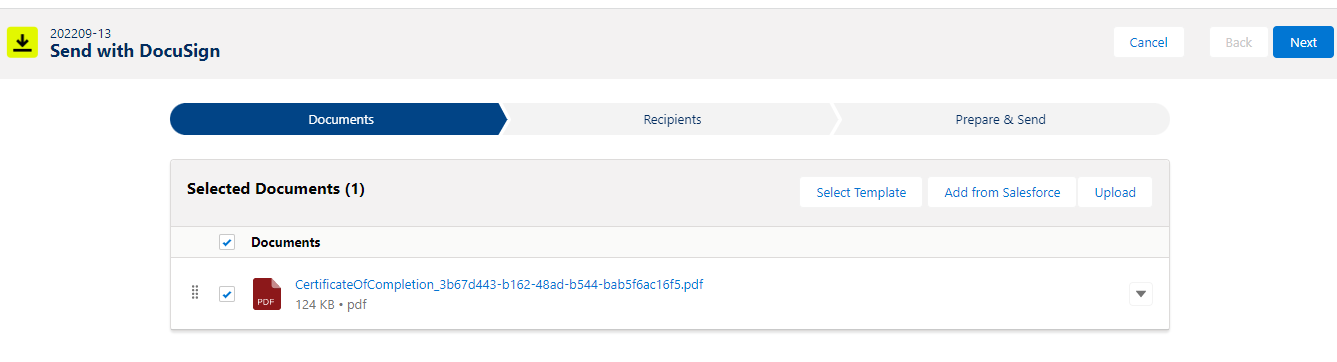
Clicking Send for E-Signature takes you to the DocuSign App to complete the process.
When configuring E-Signature, for each S-Drive object. you can choose to have the signed file returned to the root directory of S-Drive, to the same directory as the original file, or as a new version of the original file.

*Requires separate installation of DocuSign eSignature for Salesforce, found on AppExchange. More E-Signature integrations coming in future.