
On this page you can see your Bucket names, IDs Regions, File Level Encryption settings, FIPS enablement and Version settings. You can update/re-authenticate your credentials, and configure your Buckets, Bucket Folders, Metadata, and Multiple Bucket Settings.
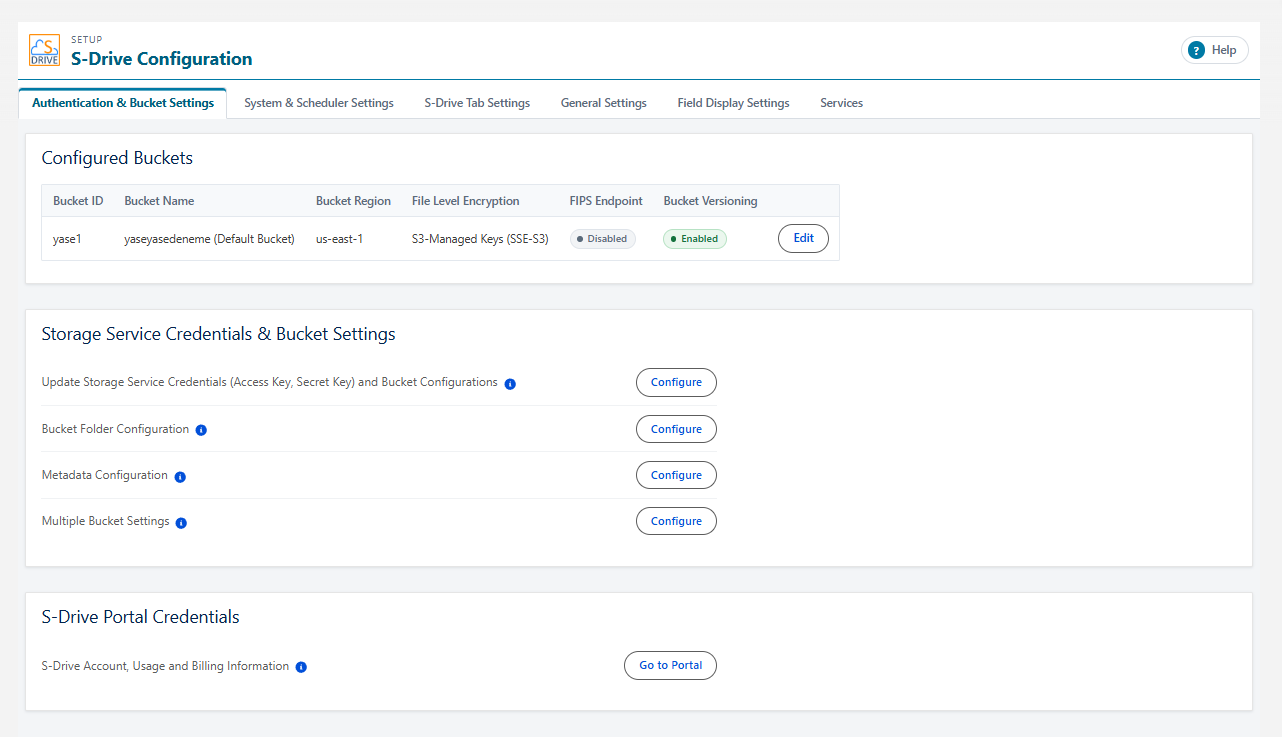
There are several features you can configure from this page.
Update Amazon S3 Credentials (Access Key, Secret Key) and Bucket Configurations
This is where you can change your AWS credentials and manage your buckets.
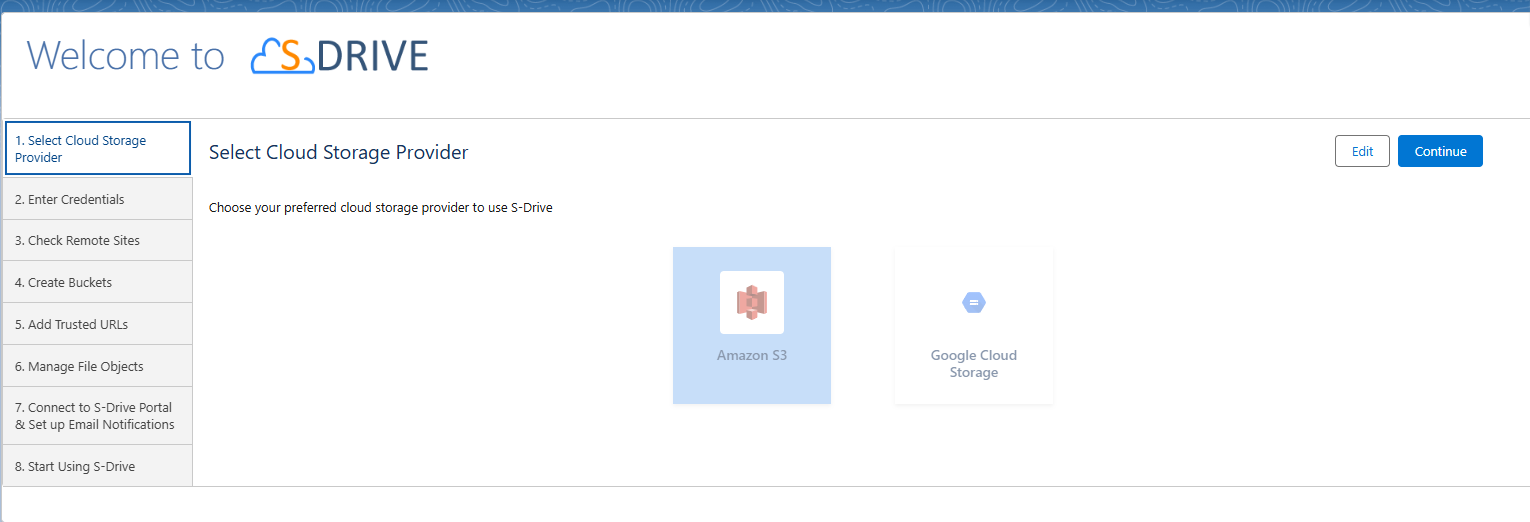
Clicking Configure takes you to this page
-
Click on Step 2 to edit your Access Key and Secret Key.
-
Click on Step 4 to add or manage buckets.
-
Click on Step 7 to add or edit email addresses for notifications.
See Multi-Bucket Support for information about how to use multiple buckets.
Bucket Folder Configuration
Clicking the “Configure” button will take you to a page where you can configure Bucket Folders for each file object. Bucket Folders allow you to control where files are stored in your AWS bucket.
See Bucket Folders under Advanced Features for information on this feature and how to configure it.
Metadata Configuration
Clicking the “Configure” button will take you to a page where you can define metadata for each file object. Metadata is extra data stored with the file in your AWS bucket. For more information about metadata in AWS, see AWS’s Working with Metadata help page.
For information about configuring Metadata in S-Drive, see User-defined Metadata for how to configure this feature.
Multiple Bucket Settings
Clicking the “Configure” button will take you to a page where you can enable Multi-Bucket support for each object. See Multi-Bucket Support for more information.
S-Drive Account, Usage and Billing Information
You can access your S-Drive portal account for account, usage and billing information.