
This method is used to get the URL of an S-Drive Attachment.
String getAttachmentURL(String parentId, String fileObjectId,
Long timeValue)
Parameters:
parentId: Id of the parent object. You can use 15-character id or 18-character id.
fileObjectId: Id of the attachment (file) object. This can be retrieved using an SOQL query. An example can be found in following sections.
timeValue: Expiration time of the link in seconds.
Return Value: The method will return the URL of the S-Drive attachment.
Our example is about retrieving an image file from S-Drive Account Attachments and displaying it inside Account Page Layout. You can customize SOQL call and other options similar to the example.
-
Override Accounts View button with Account Files Page to upload a JPG image file to S-Drive Account Attachments.

-
Create an apex class named ExamplePageController. In below code 1*60 is equivalent to one minute. You can set expiring time like this. Also, you can configure your SOQL query based on your needs.

-
Create an apex class named ExamplePageController. In below code 1*60 is equivalent to
one minute. You can set expiring time like this. Also, you can configure your SOQL query
based on your needs.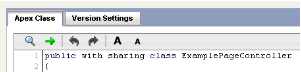
public with sharing class ExamplePageController { private Account acct; private String fileURL = ''; public ExamplePageController(ApexPages.StandardController controller) { this.acct = (Account)controller.getRecord(); List<cg__AccountFile__c> accountFiles = [Select id from cg__AccountFile__c where cg__AccountFile__c.cg__WIP__c = false and cg__AccountFile__c.cg__Content_Type__c = 'image/jpg' and cg__AccountFile__c.cg__Account__c = :acct.id]; if(accountFiles.size() > 0) { fileURL = cg.SDriveTools.getAttachmentURL(acct.id, accountFiles[0].id, (1 * 60)); } else { fileURL = 'http://www.cyangate.com/noimage.jpg'; } } public String getFileURL() { return fileURL; } } -
Create an ExamplePage apex page with below content

<apex:page standardController="Account" extensions="ExamplePageController"> <apex:image url="{!fileURL}" /> </apex:page> -
Customize your account page layout and include ExamplePage inside the layout.
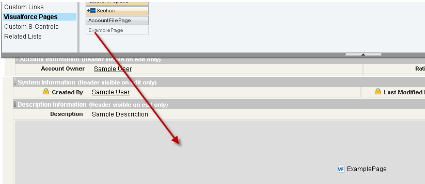
-
Now if you reload your account (which contains an image file) you'll see a screen like below.
You can customize the apex class and page based on your needs.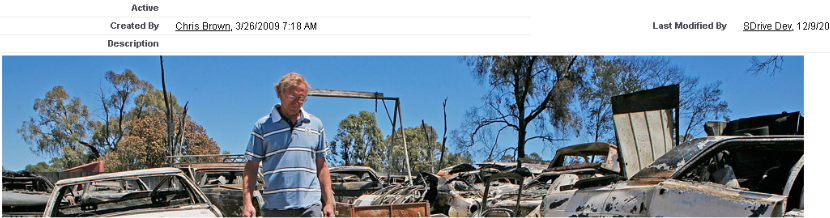
If you would like to get an old version of a file, you should add id of an old version file into
fileoObjectIds list.